Newspaper Headline Generator: Create Viral News Titles in 2025
Your headline decides whether readers click, scroll, or bounce. In a mobile-first newsfeed, strong news article titles must grab attention, signal credibility, and be simple to ship. This guide shows how to use a newspaper headline generator to design, test, and export pro-grade headlines in minutes—without signups or design debt.
What Is a Newspaper Headline Generator and When to Use It
Definition: A newspaper headline generator is a tool that helps you make a news headline by combining proven editorial formulas with design presets so titles are readable, credible, and ready for publishing across web, email, and social. It drafts wording, applies typography (fonts, size, spacing), and exports production-ready outputs.
Why it matters in 2025: audiences skim on small screens and across social platforms. Research shows global weekly access to news via Facebook and YouTube is widespread, and trust hovers near 40% in many markets. Clear, consistent news title design plus precise wording improves recognition and click-through while avoiding clickbait.
- Fits your workflow: brainstorm options, style quickly, then export to HTML/React for dev, or PNG/JPG/WebP for marketers.
- Use it to draft news article titles for landing pages, blogs, newsletters, and social thumbnails.
- Learn from newspaper headline examples and replicate winning patterns—fast.
- Keep a style baseline for teams so titles for newspaper articles feel consistent across channels.
Situations to use a generator:
- Launching a campaign and need variants quickly.
- Turning a report into multiple news title angles (breaking, data-led, local).
- Designing hero banners that must ship today—with real typography, not placeholders.

How a headline generator works: from input to export in four steps
Traditional vs. Digital: Headlines That Work in 2025
Print conventions still inspire trust, but web-first headlines must scan in feeds, SERPs, and mobile layouts. Use this quick comparison to calibrate your approach.
| Print Convention | Web-First Best Practice |
|---|---|
| Compact decks, tight leading, serif dominance | Readable line length (45–70 chars), strong contrast, optional subheads for context |
| Ellipses or clever wordplay | Specific keywords and entities for clarity and SEO |
| Single placement on page | Variants for homepage card, article page, and social preview |
| Fixed-size banner | Responsive type with accessible hierarchy and alt-friendly images |
Rule of thumb: keep the authority of print with the clarity and accessibility of the web. If a reader can't understand your news headline example in 2 seconds on mobile, it needs tightening.
Use Cases: Landing Pages, Emails, Yearbooks, Classrooms
Landing pages
Conversion-first hero lines that align with ad copy and SEO terms.
Emails/newsletters
Preheader-friendly subject lines derived from titles for newspaper articles.
Yearbooks
Milestone-driven titles; see yearbook headline examples below.
Classrooms
Teach leads vs. features; practice with newspaper title examples and safe parody.
New to rapid headline creation? Try this quick guide: Create Title in 60 Seconds (No Signup).
Use Pretty Headline as Your Free Newspaper Headline Generator
Pretty Headline is a free, browser-based, no-signup newspaper headline generator that styles and exports headlines in seconds. It behaves like a headline maker for newspaper and a lightweight design tool combined.
Problems it solves:
Problem: Time pressure.
Solution: Generate multiple options and finalize designs quickly.
Problem: Inconsistent typography.
Solution: Use professional Google Fonts with precise weight/size/spacing.
Problem: Export friction.
Solution: One-click to HTML, React, PNG/JPG/WebP—no dev bottleneck.
Problem: Team alignment.
Solution: Save/share presets so campaigns ship with consistent voice and look.
It's a free newspaper headline generator—no account, no watermark. Start in the browser, style with live preview, and ship.
Open the Editor (No Signup) and Pick a News Template
- Open Pretty Headline in your browser. No login—start immediately.
- Choose a newspaper-style template from the gallery to kickstart your layout.
- Paste your working title or use the editor to make a news headline variant.
- Duplicate the canvas to compare options side by side.
Need a quick walkthrough? See Getting Started with Pretty Headline.
Choose Fonts and Styles That Mimic Print
Pick classic news typefaces (e.g., high-contrast serifs or sturdy grotesques) from Google Fonts, then adjust weight, tracking, line height, and width. Use underline, highlight, and color for emphasis—like a news banner generator without the complexity.
- Preset looks emulate broadsheet, tabloid, or local paper vibes via the newspaper title generator controls.
- Apply small caps, Title Case, or ALL CAPS depending on tone.
- Constrain line length for readability on mobile cards.
Write Your First Line: 5 Proven News Formulas
Use these plug-and-play patterns to draft a compelling first line fast. Mix in entities, numbers, and place names to elevate clarity.
These structures yield catchy headlines for newspapers without resorting to clickbait.
Add Banners, Highlights, and Byline-Style Subheads
Create visual hierarchy like a broadsheet or tabloid. Use a thin banner above, highlight key words, and add a byline-style subhead with time, place, or source. Pretty Headline doubles as a simple newspaper headline maker and news banner generator.
Export to HTML, React, or Image for Instant Use
With one click, export production-ready HTML or React for developers, or PNG/JPG/WebP for marketers and designers. Paste into your CMS, share in decks, or upload to ad platforms—no additional tooling required.
Try it free: Design a headline in 60 seconds and ship your next hero today.
Style Guides: NYT, Tabloid, Local, and Yearbook Looks
Emulate well-known aesthetics using generic fonts and layouts—without copying trademarks or mastheads. These presets give you recognizable vibes while staying compliant.
The NYT-Inspired Look: Serif + Title Case + Tight Leading
- High-contrast serif, Title Case, modest width, and restrained color accents.
- Use a small deck for context; keep verbs active and specific.
- Great for investigations, explainers, and policy coverage—classic newspaper headline examples.
Tabloid Pop: All Caps, Short Words, Big Numbers
- ALL CAPS, bold weight, compact lines, and strong numerals.
- Use contrast highlights for the keyword; keep word count low.
- Ideal for punchy catchy headlines for newspapers and social tiles.
Local Paper Trust: Mixed Case + Place Names
- Conversational syntax, mixed case, and clear geography.
- Include city, neighborhood, or school to boost relevance for news title example use.
- Perfect for council, school board, and community coverage.
Yearbook Headlines: School Spirit and Milestones
- Celebratory type, supportive subheads, and references to teams, clubs, and classes.
- Use dates, locations, and achievements for archival clarity—great yearbook headline examples.
- Pair with candid subheads and a simple byline element.
Create Fun or Fake Newspaper Headlines Safely
Parody headlines are great for memes, parties, and classrooms. The goal: be obviously playful so you never confuse real outlets or mislead audiences.
Classroom and Party Use: Parody Without Confusion
- Add an always-visible watermark such as "Parody" or "For Classroom Use."
- Use generic fonts, never real mastheads or logos.
- Include a small disclaimer line in the banner or footer.
- Steer away from real breaking events to avoid misinformation.
Fast Workflow in Pretty Headline for Meme-Style Banners
- Open a tabloid-style preset.
- Type your joke line; add highlights for emphasis via the news banner generator styling.
- Export as PNG for instant sharing.
Ethical and Legal Tips: Satire, Trademarks, Attribution
- Emulate general styles; avoid protected logos, mastheads, and typefaces.
- When referencing public data or quotes, attribute sources in the subhead or caption.
- This is not legal advice—when in doubt, consult counsel, especially for commercial use.
30 Ready-to-Edit News Headline Formulas and Examples
Copy, paste, and personalize. These span breaking, data-led, local, feature, and yearbook use cases.
Breaking and Authority Templates
- • Breaking: [Agency] Confirms [Event]; [What Happens] Next
- • Live: [City] [Incident] Disrupts [Service]; Officials Urge Caution
- • Update: [Number] Affected as [Cause] Forces [Action]
- • Exclusive: [Source] Reveals [Key Finding] in [Sector]
- • Developing: [Company/Team] to [Decision] by [Time]
- • Timeline: What We Know About [Event] So Far
Data and Numbers Templates
- • [Number]% of [Group] Say [Trend]; Here Is What It Means
- • [Metric] Hits [Level] for First Time Since [Year]
- • By the Numbers: [Topic] in [X] Charts
- • Forecast: [Outcome] by [Date] If [Condition]
- • Fact Check: [Claim] vs. [Data Source]
- • [Program] Saves [Amount] Annually, City Says
Local and Community Templates
- • [Neighborhood] Votes to [Action] After [Issue]
- • [School District] Approves [Plan]; What Families Should Know
- • [City] Transit to Add [Number] Routes by [Season]
- • Map: Where [Project] Will Break Ground in [Area]
- • Meet the Volunteers Behind [Community Effort]
- • [Local Team] Clinches [Title]; Parade Set for [Day]
Feature and Human Interest Templates
- • Inside [Person/Team]'s [Journey] to [Result]
- • How [Everyday Role] Solved [Problem] with [Strategy]
- • Voices: What [Group] Learned from [Experience]
- • Road Test: We Tried [Idea/Product] for [X] Days
- • Then and Now: [Place/Team] After [Turning Point]
- • The Big Read: Why [Topic] Matters This Year
Yearbook and Event Templates
- • Class of [Year]: [Team/Club] Captures [Championship]
- • Senior Spotlight: [Name] on [Achievement]
- • Homecoming [Year]: [Theme] Lights Up [School]
- • From Tryouts to Title: [Team]'s Season in Photos
- • Caps in the Air: [School] Graduates [Number] Seniors
- • Memories Made: Top Moments from [Event]
Optimization: Make Headlines Convert and Rank
Great headlines balance clarity, specificity, and curiosity. Use these on-page and UX tweaks to improve CTR and SEO without sacrificing truthfulness.
Length, Readability, and Scannability
- Length: Aim for 45–70 characters for hero heads; keep key terms front-loaded.
- Lines: 1–2 lines on mobile; avoid orphan words.
- Words: Use strong verbs and named entities; avoid filler.
- Subheads: Add a short deck for context and keywords.
- Contrast: High color contrast and adequate size for accessibility.
Emotional vs. Informational Balance
- Pair a specific noun phrase with a benefit or consequence.
- Use numbers, places, or sources to anchor the claim.
- Avoid clickbait; promise what the story delivers.
A/B Test Variants on Landing Pages
- Draft 3–5 variants in Pretty Headline with small changes to verb, number, or entity.
- Export each as HTML or React and deploy with your testing tool.
- Measure CTR, dwell time, and bounce. Keep the clearest, not just the flashiest.
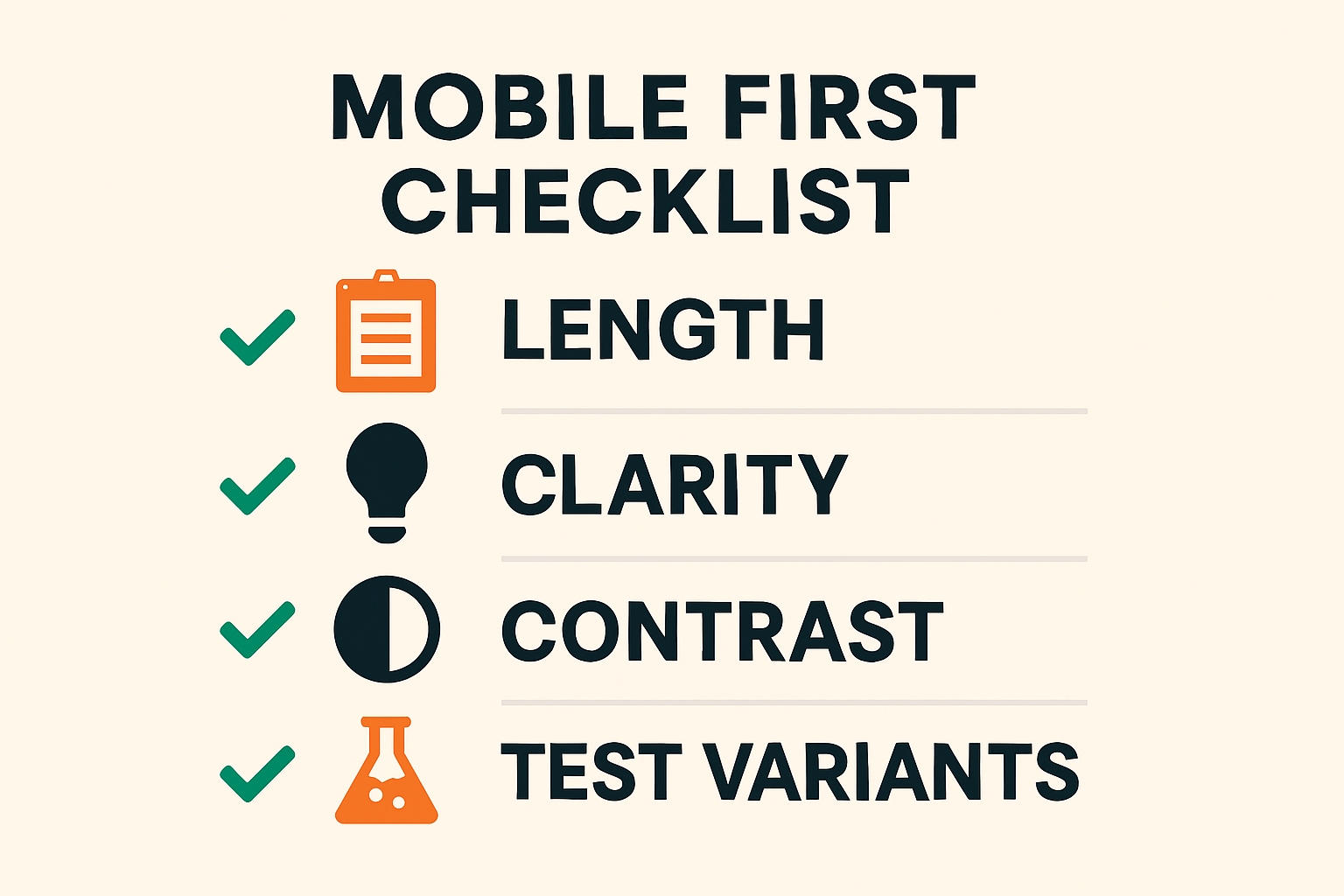
Mobile headline optimization checklist for clarity and testing
Want more tooling ideas across channels? Explore our roundup: Best Free Headline Generator Tools in 2025. Or expand beyond news with the Blog Title Generator & Ad Headline tools and our Book Title Generator.
Troubleshooting: Fix Headlines That Fall Flat
When your news headlines generator ideas aren't landing, diagnose quickly with these fixes.
Too Long or Vague? Tighten With Power Verbs
- • Replace weak phrases (e.g., "is going to") with active verbs ("approves," "cuts").
- • Front-load the subject and action; trim prepositional clutter.
- • Move secondary detail to the subhead.
- • Example: "City Is Going to Make Changes to Transit" → "City Approves 5 New Transit Routes."
Lacking Credibility? Add Source, Place, or Number
- • Quote a source ("Officials Say"), add a city, or include a verifiable metric.
- • Use a deck to cite the dataset, report, or timeframe.
- • Avoid overpromising; keep claims verifiable.
Visual Hierarchy Problems? Adjust Size and Contrast
- • Increase headline size and weight; reduce deck size for contrast.
- • Use highlight or underline for a single keyword—not all.
- • Test on mobile view; ensure 1–2 lines with no crowding.
- • Pretty Headline's headline maker for newspaper controls make these changes instant.
FAQ: Newspaper Headline Generators, Costs, and Exports
Is Pretty Headline really free and no-signup?
Yes. It runs in your browser at no cost, with no account required.
Can I export to HTML, React, PNG, JPG, or WebP?
Yes. Exports include production-ready HTML or React for developers and PNG/JPG/WebP for design and social.
How do I match a specific newspaper's look legally?
Emulate styles with generic fonts/layouts and avoid trademarks, logos, and proprietary mastheads.
Does it help with SEO as well as design?
Yes. You can structure clear, keyword-aligned titles and export clean markup that supports fast load and good UX.
Can I create fun or fake newspaper titles safely?
Yes—use watermarks/disclaimers and avoid real logos to signal parody and prevent confusion.
Try It Now: Design a Newspaper Headline in 60 Seconds
- Open Pretty Headline in your browser—no signup.
- Pick a template and type your line.
- Style with fonts, highlights, and a subhead.
- Export as HTML, React, PNG, JPG, or WebP.
Design your headline using the editor and export it as HTML, React code, PNG, JPG, or WebP.