Headline Generator Playbook: High-Converting Titles for Web Teams 2025
Top-of-page headlines decide whether visitors engage or bounce. If your titles read well but look average—or look great but load slowly—you're leaving conversions on the table. This playbook shows how modern teams use a headline generator and a design-first workflow to ship stunning, accessible, SEO-ready headlines in minutes.
What a Headline Generator Is—and Why Design Matters
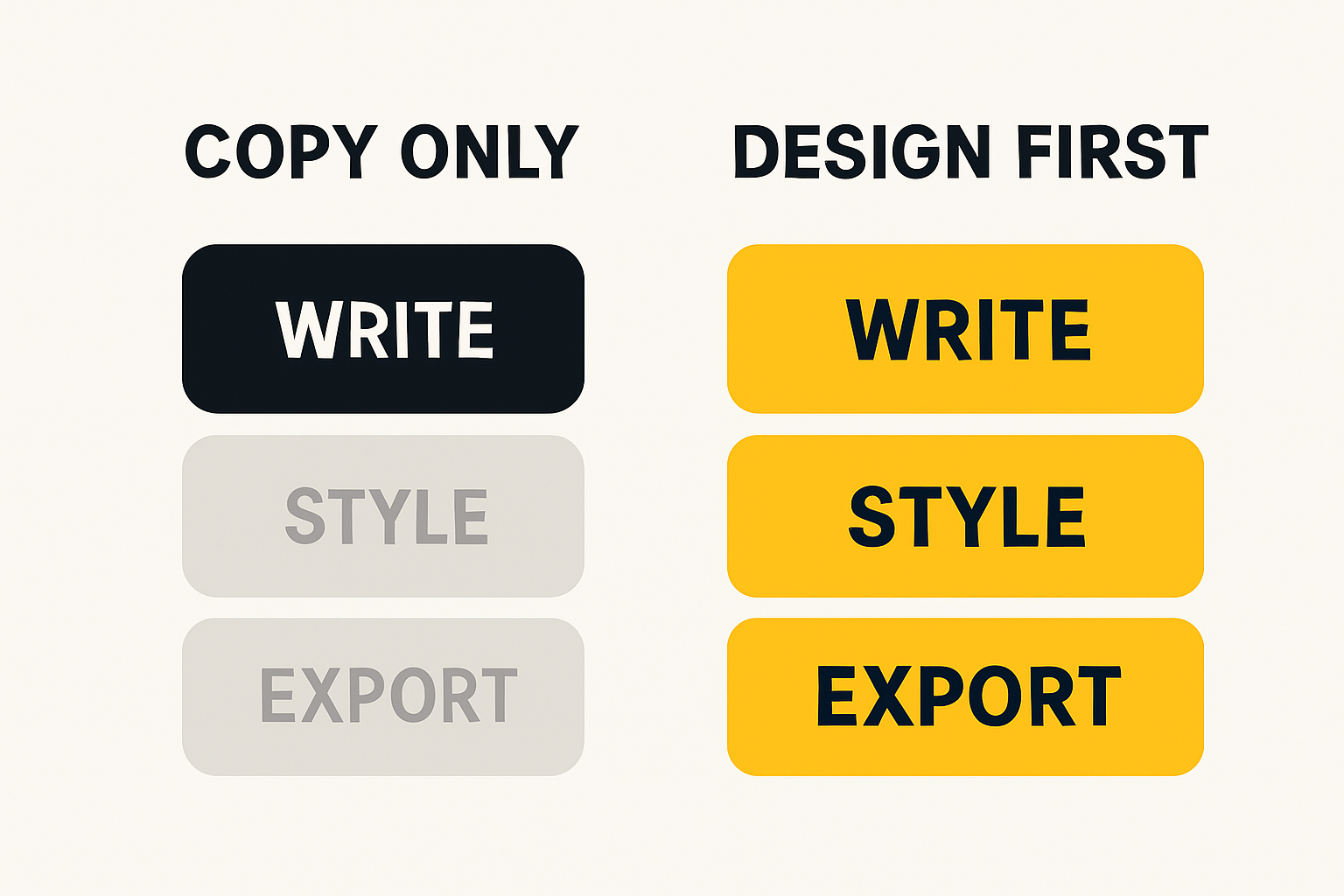
A headline generator helps you ideate and structure winning titles quickly. But there's a crucial distinction: copy-only generators focus on words; design-first tools combine words with on-brand typography, spacing, and emphasis—so the headline looks as good as it reads.
The outcome you want as a marketer, designer, or developer is a headline that is readable, scannable, brand-consistent, and technically clean. That means strong copy plus precise text styling, exported in formats your stack can ship instantly.
Copy-only generators vs design-first tools
Copy-only headline generator tools are great for brainstorming ideas and variations. They output text. Design-first headline creator tools pair that text with WYSIWYG control over fonts, line height, spacing, and emphasis. The latter closes the gap between "good draft" and "production-ready."
- Copy-only: Draft alternatives fast; requires designer/dev to style and ship later.
- Design-first: See final rendering as you write; export clean HTML/React or images in one step.
Where headline design impacts conversions and SEO
Typography and structure guide attention and comprehension. Proper hierarchy (H1→H2→H3), line length, and contrast improve readability and help search engines understand content. Subtle emphasis—highlights, underlines, color—can elevate key value words without harming accessibility.
- Readability: Short, scannable lines and adequate spacing reduce cognitive load.
- SEO: Semantic headings and intent-aligned phrases help search engines parse relevance.
- Conversion: Visual emphasis on "pain, promise, proof" increases clarity and action.
For deeper context on headings and scannability, see the Nielsen Norman Group research on the F-pattern and MDN's guidance on heading elements.
How to Choose a Headline Generator for Web Teams
Use this evaluation framework to select a tool that satisfies marketers, designers, and developers without trade-offs.
Non-negotiables: WYSIWYG editing and Google Fonts
Demand real-time, WYSIWYG editing with access to production-ready type. Native support for Google Fonts is critical: it provides professional families, consistent licensing, and reliable hosting. You should preview exact fonts and weights with live text.
- Instant, in-browser editing—no installs.
- Google Fonts picker with families and weights you can ship today.
- Controls for size, line height, letter spacing, and alignment.
Learn more about font performance and best practices in Google Fonts docs.
Export that fits your stack: HTML, React, and images
Your tool should export semantic HTML for CMS usage, React components for app stacks, and crisp images for channels that don't support custom HTML (ads, some emails, social). A built-in text to PNG converter or png text generator free option covers media needs without extra software.
- HTML: For landing pages and site builders.
- React: For componentized apps and Next.js sites.
- PNG/JPG/WebP: For ads, email banners, and social cards; create image with text online free to speed production.
SEO and accessibility readiness
Ship with semantic headings, correct contrast ratios, and minimal layout shift. Headlines must meet or exceed WCAG contrast and load fast to protect LCP. Use tools that ensure clean markup and performant font loading out of the box.
- Semantic H1–H3 structure mapped to intent.
- WCAG-compliant contrast and readable sizes.
- Preconnect to fonts and optimize rendering to protect Core Web Vitals.
Reference: WCAG contrast guidance, Optimize LCP, and Google's SEO Starter Guide.
Privacy, speed, and zero-friction usage
Prefer a content creator free experience—no signup, no downloads, and browser-based rendering. For fast sprints, teams shouldn't wait on accounts or license seats. Private-by-design tools that process in your browser keep assets confidential.
Fast path: If you want to try an end-to-end workflow now, see Create Title in 60 Seconds (No Signup).
Meet Pretty Headline: A Free, Lightning-Fast WYSIWYG Headline Designer
Pretty Headline is a design-first headline generator built for the web. It brings professional typography (Google Fonts), tasteful emphasis controls, and instant export to HTML, React, PNG, JPG, or WebP—right in your browser, with no signup.
- Problem: Slow approvals. Live WYSIWYG previews reduce rounds between copy, design, and dev.
- Problem: Inconsistent fonts. Google Fonts library and brand-safe tokens enable consistency.
- Problem: Export friction. One-click HTML/React or image exports fit every channel.
- Problem: Accessibility risk. Sensible defaults for contrast, sizes, and semantics.
- Problem: Privacy & speed. No signup, in-browser processing, assets stay with you.
Professional typography with Google Fonts
Browse, preview, and apply typefaces without leaving the editor. Mix weights, set scale, and test pairings in seconds. For brand systems, lock primary families and sizes so every teammate ships on-brand without manual QA. If you're new to web font strategy, read Next.js font optimization for performance patterns.
Visual emphasis that converts: highlights, underlines, color
Tasteful emphasis draws the eye to value words—verbs, outcomes, time-to-value—without sacrificing readability. Use highlight bands, subtle underlines, or contrasting color sparingly to guide scanning. Pretty Headline's text styling controls balance effect and accessibility.
Instant export: production HTML, React code, and images
Ship anywhere with a click: HTML for CMS, React code for app teams, or lossless images when HTML won't render reliably (some ad platforms and email clients). The built-in text to PNG converter and png text generator free options ensure sharp assets across devices.
No signup, no downloads, private by design
Open the tool, design, and export—no accounts, no watermarks, no tracking pixels. For teams under deadline, that's the difference between iterating live today vs. waiting days for access.
New to the product? Start with Getting Started with Pretty Headline or review the Best Free Headline Generator Tools in 2025 landscape.
Try it now
Design your headline using the editor and export it as HTML, React code, PNG, JPG, or WebP.
10-Minute Walkthrough: Design a High-Converting Headline
Follow this practical flow to move from idea to approved, production-ready output. It's optimized for teams using a design-first headline generator like Pretty Headline.
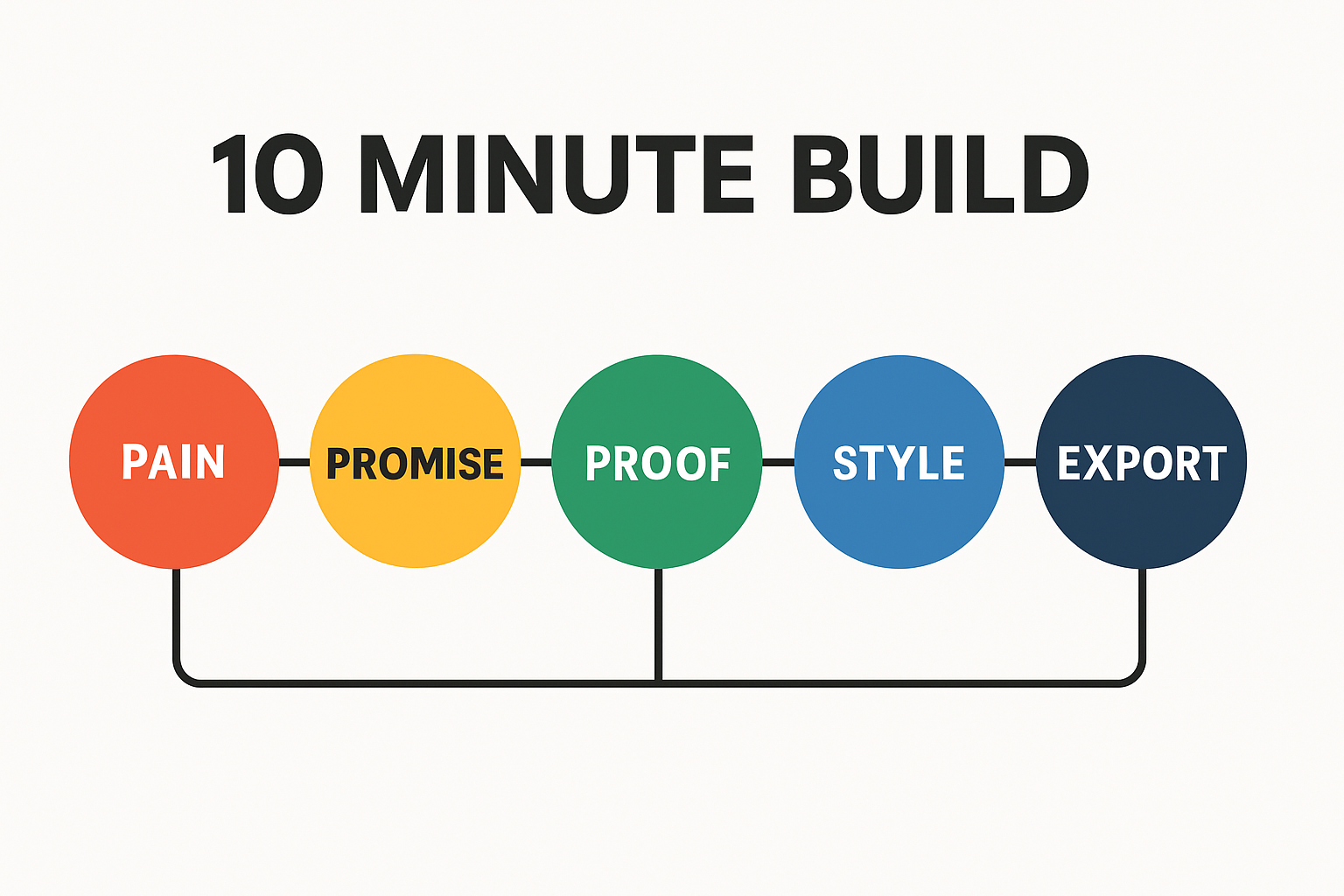
Step 1 — Clarify the conversion angle: pain, promise, proof
- Pain: Name the obstacle your audience feels right now.
- Promise: State the desirable outcome in clear, concrete terms.
- Proof: Add a credibility cue—metric, timeframe, or mechanism.
Example: "Ship on-brand headlines in minutes—no signup, no design backlog." This aligns headline generator value with the user's urgent job.
Step 2 — Select fonts, size, line height, and spacing
- Pick a primary family from Google Fonts that matches brand voice.
- Set font size and line height for a comfortable reading rhythm (e.g., 1.2–1.4 line height for large display text).
- Adjust letter spacing subtly for clarity; avoid over-tracking.
If you're new to hierarchy, MDN's heading elements primer is a quick refresher.
Step 3 — Add emphasis with highlights and underlines
- Highlight 1–3 value words (verbs or outcomes).
- Use underlines sparingly to avoid visual noise.
- Check contrast ratios; maintain WCAG minimums for text and decoration.
Step 4 — Export to HTML or React for web, or PNG/JPG/WebP for media
- HTML: Paste into your CMS block; keep H1 semantic.
- React: Export the component and import into your page; ensure styles remain scoped.
- Images: Export PNG/WebP for ads, email banners, or social where HTML isn't supported.
For email client limitations on fonts, consult Can I email… @font-face support and choose image exports when necessary.
Implementation Recipes: Put Headlines Into Production
Copy-paste workflows for common stacks so teams can ship immediately.
React and Next.js: drop-in component export
- Export the React component from your headline designer.
- Import it into your page or layout and render near the top for fast LCP.
- Use Next.js font optimization and preconnect to fonts.gstatic.com for performance.
See Next.js fonts and refresh React fundamentals in the React docs.
WordPress and site builders: HTML embed with safe CSS
- Export semantic HTML.
- In Gutenberg, add a Custom HTML block and paste the snippet.
- In Elementor or classic editor, use an HTML widget; keep CSS scoped to avoid theme conflicts.
Ads, emails, and social: image exports that stay crisp
- Export at 2× for retina when file size permits.
- Prefer WebP for web ads; PNG for email banners needing sharp edges.
- Use alt text where supported; otherwise, replicate core message in surrounding copy.
Planning multi-channel copy? Explore our companion guide on blog title and ad headline tools for 2025.
Design Patterns That Convert: Templates by Use Case
Steal these headline patterns and tailor them to your offer. Each balances clarity with brand-safe text styling.
SaaS landing heroes: value prop plus outcome
- Pattern: "Do [job] in [time]—without [pain]."
- Example: "Design on-brand headlines in minutes—without design backlogs."
- Emphasis: Highlight "minutes" and the pain phrase.
Ecommerce product pages: benefits plus differentiation
- Pattern: "Meet the [unique trait] that [benefit]."
- Example: "Meet the ultra-soft tee that outlasts your laundry cycle."
- Emphasis: Underline the trait; use a subtle highlight on the benefit.
Blog and news mastheads: clarity at speed
- Pattern: "How to [goal] in [simple steps]."
- Example: "How to audit Core Web Vitals in 15 minutes."
- Emphasis: Make the "goal" phrase slightly heavier; keep contrast high.
Comparing Tool Categories: Find the Right Fit
Here's how AI copy tools, graphic suites, and WYSIWYG headline designers stack up for web teams.
| Category | Strengths | Gaps | Best Use |
|---|---|---|---|
| AI Copy Tools | Fast ideation, variants | No typography, limited exports | Drafting options |
| Graphic Suites | Pixel control, complex layouts | Heavy, slower, not semantic | Brand campaigns, print |
| WYSIWYG Headline Designers | Live styling, semantic exports | Focused scope (headlines) | Web heroes, product pages |
AI copy assistants: great drafts, limited design
AI is excellent for ideation and variants but doesn't handle production typography or exports. You'll still need a designer or front-end pass before shipping.
Graphic design suites: powerful but heavy
Full suites produce pixel-perfect visuals but can be overkill for headlines that should remain HTML for SEO, accessibility, and speed. They also add handoff friction and QA overhead.
Why WYSIWYG headline designers win for the web
They bridge copy and design, ship semantic code, and eliminate handoff steps—perfect for web teams that value speed and quality.
Choosing a free online design tool? Review the broader landscape in our 2025 roundup.
SEO, Readability, and Accessibility Checklist
Use this pre-launch QA list to protect rankings and UX. Save it for your next sprint.
Semantic headings and intent alignment
- H1 is unique and describes page intent.
- H2/H3 structure reflects content hierarchy and keywords used naturally.
- Internal links aid discovery—e.g., link to Getting Started with Pretty Headline from related posts.
Contrast, size, and line length for readability
- Meet WCAG contrast (4.5:1 for normal text; 3:1 for large text) and verify with tools.
- Keep display headlines readable; avoid ultra-thin weights on light backgrounds.
- Target a comfortable measure (45–75 characters) or tighter for large display lines.
Performance: font loading and Core Web Vitals
- Preconnect to Google Fonts domains and use
font-display: swapor optimized font loading strategies. - Minimize CLS by reserving space for headings; avoid late-loading font jumps.
- Test LCP after integrating your headline; iterate if needed.
Deep dives: LCP optimization and Google's SEO Starter Guide.
Measure What Matters: Testing and Iteration
Connect your headline work to business outcomes with a simple experimentation loop.
Set hypotheses and variants
- Change verb strength ("Create" vs. "Design") to shift perceived effort.
- Increase specificity with numbers or timeframes ("in 10 minutes").
- Move emphasis to different value words and measure impact.
Track CTR, scroll depth, and conversions
- CTR from SERP or campaign to landing page.
- Scroll depth to confirm the headline sets correct expectations.
- Primary conversion rate (signups, demos, purchases).
Scale wins across pages and channels
Roll winning patterns into templates and brand tokens so teammates can replicate them. For a broader optimization perspective, read our Conversion Optimization Software Buyer's Guide 2025.
Avoid These Mistakes—and How Pretty Headline Helps
These are the failure modes we see most during headline production and how a design-first tool mitigates them.
Over-styling that hurts accessibility
Heavy shadows, low-contrast colors, and multiple decorations can reduce legibility. Pretty Headline's presets encourage tasteful highlights and underlines with sufficient contrast.
Heavy images that slow pages
Rasterized hero text can inflate LCP and CLS. Prefer clean HTML or React exports and reserve images for channels that require them. When you must use images, export right-sized WebP or PNG and set dimensions explicitly.
Off-brand fonts and licensing confusion
Using random downloads can create legal and consistency risks. Rely on Google Fonts inside your toolchain for clear licensing and predictable rendering. See the Google Fonts docs for usage guidance.
Pricing, ROI, and Team Adoption
With a free online design tool that runs in the browser, the ROI is time saved and risk reduced.
Time-to-ship vs traditional design workflows
- Traditional: Copy → design brief → mockups → dev handoff → iteration.
- Design-first tool: Copy + styling in one session → direct export to code/assets.
Teams report cutting headline cycles from days to minutes by eliminating back-and-forth on simple typography decisions and export formatting.
Governance: templates, tokens, and approvals
- Lock brand tokens: fonts, sizes, colors, spacing.
- Save approved templates for common pages.
- Use a simple QA checklist before export (semantics, contrast, performance).
FAQ
What is a headline generator?
A headline generator is a tool that helps you ideate and structure titles quickly. Design-first versions also handle typography and export so output is production-ready.
When should I export HTML vs. images?
Use HTML/React for web pages (SEO, accessibility). Use PNG/JPG/WebP for ads, email banners, or platforms that don't allow custom HTML.
Do Google Fonts affect performance?
They can if misconfigured. Use preconnect, minimal subsets, and optimized loading to protect Core Web Vitals.
How do I keep headlines accessible?
Maintain semantic H1 hierarchy, adequate contrast, readable sizes, and restrained visual effects.
Can I use this for social and ads?
Yes. Export crisp PNG/WebP with the correct aspect ratio. Keep in-image text short and readable on mobile.
Get Started Now
Put this playbook into practice with a focused next step.
Launch Pretty Headline and build your first hero
Open the editor, paste your best draft, and refine typography, spacing, and emphasis with the live preview. For step-by-step help, read Getting Started with Pretty Headline.
Call to Action
Design your headline using the editor and export it as HTML, React code, PNG, JPG, or WebP. When you're ready to move fast, start here: Create Title in 60 Seconds—No Signup.
Ready to Ship Production-Ready Headlines?
Design stunning, accessible, SEO-ready headlines in 10 minutes. No signup, no downloads—start now.
Try Pretty Headline Now →