Create Title in 60 Seconds (No Signup)
Need to create a title that converts, fast? In one minute, you can go from blank page to a polished, on-brand, export-ready headline—no account or download.
In this guide, you'll learn a 60-second workflow, plug-and-play copy formulas, design rules for clarity and speed, export best practices, and a lightweight A/B testing plan—all using Pretty Headline.
What You'll Achieve in 60 Seconds: A Conversion-Ready Headline
By the end of one minute, you'll have a high-impact H1 that matches your brand, reads clearly on mobile, and ships with clean code. You'll pick a layout, write or paste copy with a proven formula, add visual emphasis (highlights, underlines, color), and export to HTML, React, or image.
Pretty Headline is a purpose-built heading creator—designed to help you create a headline that is conversion-focused, readable, and production-ready in seconds.
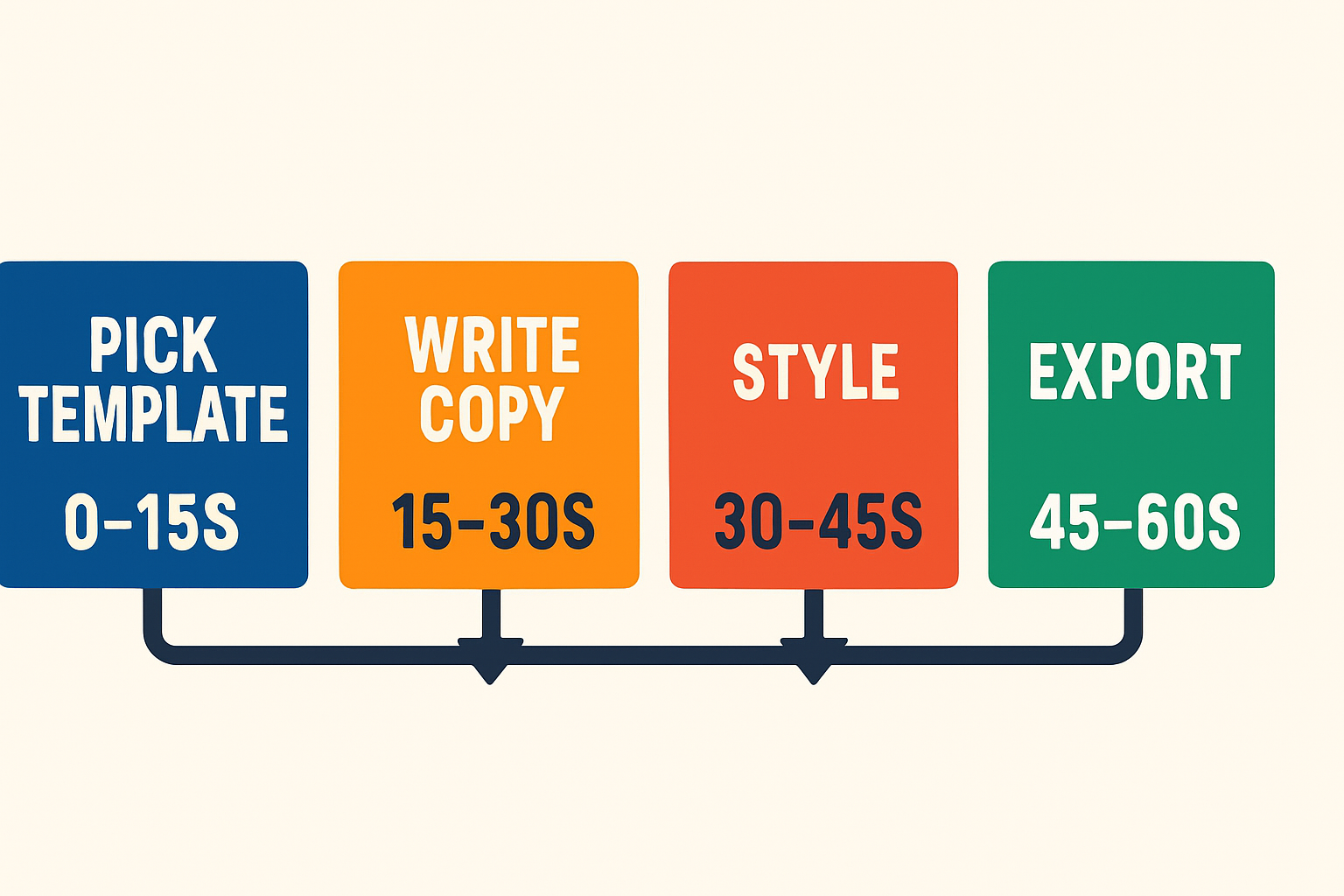
60-second workflow: Pick template → Write copy → Add emphasis → Export
Who this works for (devs, marketers, designers)
💻 Developers
Drop semantic H1 HTML or a React component straight into Next.js or Remix, with zero refactor.
📊 Marketers
Create a headline for landing pages and ads quickly, then A/B test variations without waiting on design.
🎨 Designers
Explore high-ROI typography and emphasis styles without opening a heavy canvas tool.
US-based teams working on landing pages, hero sections, and promo modules can make title decisions faster—without sacrificing quality.
The 60-Second Workflow with Pretty Headline
Follow this second-by-second flow to create title designs that are ready to ship. This is optimized for speed and clarity.
0–15s: Pick a template, font pair, and width
- Select a conversion-focused template with balanced hierarchy.
- Choose Google Fonts that reflect your brand (e.g., Inter + Playfair or Poppins + Roboto).
- Set container width for a readable measure; aim for 45–75 characters per line.
15–30s: Write or paste your copy using proven formulas
Use a formula for instant clarity. Examples:
- How-To: How to Ship a High-Converting Hero in 60 Seconds
- Numbered: 3 Ways to Turn Browsers into Buyers
- Benefit-first: Launch Conversion-Ready Headlines—No Signup, No Delay
30–45s: Make it pop with highlights, underlines, and color
- Highlight the value word (e.g., "Convert" or "Free") to guide attention.
- Use underlines sparingly to emphasize key modifiers (e.g., "No Signup").
- Set a strong foreground/background contrast so copy is legible over imagery.
45–60s: Export to HTML, React, or image and ship
- HTML: Semantic H1 for landing pages and CMS.
- React: Copy the component for frameworks like Next.js.
- Image: PNG/JPG/WebP for social and ads with safe margins.
Quick recap (featured snippet):
- Pick template + fonts + width
- Write copy using a proven formula
- Add visual emphasis for scannability
- Export as HTML, React, or image
Getting Started with Pretty Headline shows the editor basics in under 2 minutes.
Copy Formulas That Work When You're Short on Time
When you need to create a headline quickly, proven structures reduce guesswork and improve comprehension.
How-To and Numbered headlines for instant clarity
Numbered and "How to" formats are scan-friendly and set expectations fast. Using numerals also improves scannability for users skimming pages.
- How to Create Title Copy That Converts Without a Redesign
- 7 Quick Wins for High-Intent Landing Pages
- How to Make a Headline Your Sales Team Loves
Benefit + Objection: Promise value, defuse doubt
Use a two-part structure: [Primary Benefit] — [Objection Removed].
- Ship Conversion-Ready Headlines — No Signup, No Waiting
- Look On-Brand in Minutes — No Design File Needed
- Export Clean Code — No Rework for Dev
PAS and AIDA mini-templates
Keep it tight for hero space and mobile:
- PAS: Friction Slows Launches. Make a Headline in 60 Seconds. Ship Today.
- AIDA: Stop Guessing Headlines. See What Converts. Export and Go.
Niche modifiers for devs, marketers, and designers
Add audience terms to boost relevance:
Developers
"for Next.js", "with semantic H1", "React-ready"
Marketers
"for paid social", "for SaaS trials", "increase demo CTR"
Designers
"Google Fonts", "WCAG 2.2 AA", "brand-safe colors"
Want more structures? See our roundup of the Best Free Headline Generator Tools and the Blog Title Generator & Ad Headline tools for 2025.
Design Rules That Double Impact Without Slowing You Down
Use these high-ROI choices when you create a headline so you move fast without sacrificing clarity.
Typographic scale, line length, and letter spacing
- Scale: Make the H1 visually dominant; pair with a concise supporting line if needed.
- Line length: Keep ~45–75 characters per line for readability across devices.
- Tracking: Tighten very large display sizes slightly; avoid over-loose tracking on mobile.
Contrast and accessibility (WCAG 2.2 AA)
- Ensure color contrast meets WCAG 2.2 AA for text-over-background.
- Use highlights and underlines that remain legible in high-contrast modes.
- Reserve decorative flourishes for short, high-impact words only.
Visual emphasis that guides the eye
- Highlight the main benefit word; underline a key qualifier; color the CTA term.
- Use a single emphasis color that aligns with brand primary or accent.
- Avoid competing styles; 1–2 decorations are plenty for a hero headline.
Mobile-first sizing and truncation testing
- Preview breakpoints live; ensure clean wraps and no orphans.
- Trim filler words; front-load the benefit to guard against truncation.
- Export responsive HTML or React from Pretty Headline to preserve layout.
For a broader optimization stack, see our Conversion Optimization Software Buyer's Guide 2025.
Exporting for Any Channel in Seconds
Choose the export type that matches your publishing channel for speed and fidelity.
Landing pages: SEO-friendly H1 HTML
- Export clean, semantic HTML with a proper H1 and minimal wrappers.
- Paste into CMS blocks or static site templates without layout shifts.
- Ensure metadata aligns with your H1 for stronger intent match.
React components for modern stacks
- Copy the React export and drop into Next.js or Remix.
- Keep styles modular and predictable; no refactor required.
- Version-control headline variants alongside code.
Social images and ads: PNG/JPG/WebP
- Export crisp images with safe margins for platform crops.
- Use high-contrast emphasis so the value reads at a glance.
- Keep total text short; avoid heavy over-image text blocks.
Email and CMS: Paste clean code, keep load fast
- Use lightweight HTML to avoid layout shifts in common ESPs.
- Stick to web-safe fallbacks if custom fonts aren't supported.
- Inline critical styles for consistent rendering across clients.
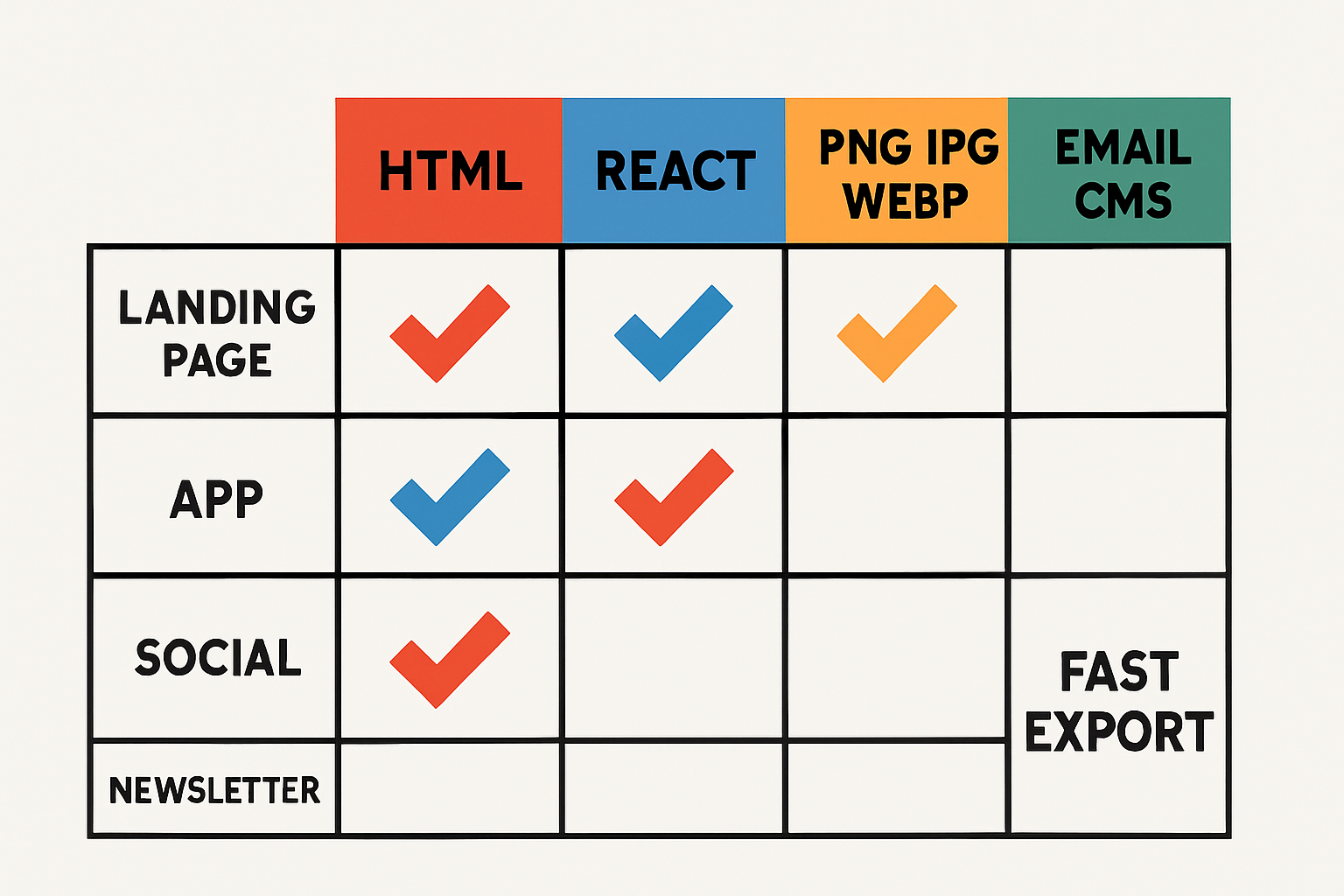
Export format guide: Choose the right format for your channel
Developers who prefer streamlined tooling will also like our piece on Developer Productivity Tools for 2025.
SEO and Performance Checklist for Headlines
Copy this quick checklist (featured snippet):
- Place the headline in an H1 and align with title/meta.
- Use a readable measure (45–75 chars) and strong contrast.
- Preconnect fonts, use font-display: swap, limit weights.
- Reserve space to avoid CLS; test on mobile.
- Export clean HTML/React for crawlability.
Semantic structure, meta context, and crawlability
Keep a single H1 per page, align your H1 with the page title and meta description, and use descriptive support copy. Clean, minimal DOM helps search engines parse intent.
Font loading: Google Fonts, preconnect, swap
Optimize font delivery with preconnect to fonts.gstatic.com, subset only what you need, and use font-display: swap to avoid invisible text. Limit font files to keep TTFB-to-paint tight.
CLS-safe hero delivery and Lighthouse wins
Reserve hero space in CSS, avoid layout shifts by setting explicit dimensions, and lazy-load non-critical assets. Exported code from Pretty Headline is lightweight to help keep CLS low.
A/B Test Your Headline Fast
Validate whether copy or design changes drive lift with a focused testing plan.
One change at a time: copy vs design
- Variant A: Copy change only (same styling).
- Variant B: Design change only (same copy).
- Variant C: Combined changes only after you have a winner.
Measuring with GA4, Optimize alternatives, and heatmaps
- Track click-through to primary CTA, hero scroll depth, and conversions in GA4.
- Run split tests with a lightweight tool; pair with a heatmap session tool for context.
- Decide quickly with directional data; confirm with a longer follow-up test if needed.
Iterating in Pretty Headline with versioned exports
- Duplicate your design and tweak a single element (e.g., highlight color or benefit phrase).
- Export versioned HTML/React; label variants clearly in your repo or CMS.
- Roll forward the winner, archive the rest for future campaigns.
When ideating alternatives, our Blog Title Generator & Social Tools can spark new angles for headlines and ad creatives.
Common Mistakes (and 10-Second Fixes)
❌ Too many fonts and styles
Fix: Standardize on one display + one text font. Use 1–2 emphasis styles max.
❌ Weak contrast or illegible on hero images
Fix: Add a subtle overlay, switch to a solid background, or choose a higher-contrast template.
❌ Wordy or vague: trim and front-load benefit
Fix: Cut filler, move the strongest words to the start, and keep the H1 tight.
❌ Looks great on desktop, broken on mobile
Fix: Recheck breakpoints and line length in live preview. Export responsive HTML/React.
Why Pretty Headline Beats Generic Design Tools for Titles
Purpose-built WYSIWYG heading creator
Generic canvases slow you down with extra steps. Pretty Headline focuses on one job—headlines—so you iterate faster and keep attention on conversion.
Instant, production-ready code export
Copy semantic HTML or React with a click. Devs don't need to rebuild or clean up code, and marketers can paste straight into CMS blocks.
No signup, private, browser-based workflow
Create title designs in your browser with no account, no upload of sensitive assets, and no credit card. Ideal for freelancers and in-house teams alike.
New to the tool? Start with Getting Started with Pretty Headline.
2-Minute Mini Case Study: From Bland to Brand
Before/after copy and design choices
Before: "Welcome to Our Platform" over a busy hero image; low contrast; vague benefit.
After: "Launch Conversion-Ready Headlines in 60 Seconds — No Signup" with a clean background, bold highlight on "60 Seconds," and improved contrast.
Design: Display font paired with a legible sans serif; measure tightened to ~60 characters; underline removed in favor of a single highlight.
Implementation and results snapshot (CTR, bounce)
The team exported semantic H1 HTML and deployed via CMS in minutes. GA4 tracked hero CTA clicks and scroll depth. Post-change, the page showed higher headline engagement and reduced early bounces. Your exact lift will vary by audience and offer; validate via an A/B test before rolling out globally.
Quick FAQs
Is Pretty Headline really free and no-signup?
Yes. It's 100% free, browser-based, and requires no account or credit card.
Can I use my brand colors and Google Fonts?
Yes. Pick from Google Fonts, set brand colors, and apply highlights or underlines that match your style.
What export options are available?
Export production-ready HTML, a React component, or images (PNG, JPG, WebP) for social and ads.
Is the output SEO-friendly and accessible?
Yes. Exports use semantic structure and clean code, with guidance for contrast and mobile readability.
Next Step: Create Title That Converts Now
Here's your one-minute plan:
- Open Pretty Headline and pick a conversion-focused template.
- Paste a benefit-first line or a tested formula.
- Apply one emphasis style to your strongest words.
- Export HTML or React and ship to your site; save an image for social.