Blog Title Generator, Ad Headline Generator & Social Tools for 2025
You do not need more ideas—you need the right headline for the right channel, fast. This guide shows how to pick the best blog title generator or ad headline generator per platform, then turn great ideas into on-brand, publish-ready designs.
We'll cover blog and article titles, ads, LinkedIn and social hooks, YouTube titles and descriptions, livestreams, press releases, and website hero copy—finishing with a 15‑minute workflow and a compliance checklist. Throughout, we'll use Pretty Headline to style, test, and export conversion-ready headlines in seconds.
Why content-type-specific generators win in 2025
One-size-fits-all headline tools miss platform nuances—character limits, feed dynamics, and intent signals. A blog title generator, a website headline generator, a press release headline generator, and a headline generator for LinkedIn all optimize for different outcomes: rankings, conversions, credibility, or virality.
- Blogs & articles: Optimize for search intent, keywords, and SERP CTR.
- Ads: Fit platform limits (e.g., Google, Meta) and match landing-page messaging.
- LinkedIn/social: Balance professionalism with share-worthy hooks.
- YouTube & streaming: Title for CTR and retention; pair with tags/description tools.
- PR & yearbooks: Maintain AP-style clarity and event tone.
Pretty Headline turns any strong idea from a blog title generator, ad headline generator, or stream title generator into a designed headline you can export as HTML, React code, PNG, JPG, or WebP—ready for production.

Infographic comparing headline goals across different platforms
Pro tip: Keep headlines concise. Many sources recommend 6–9 words for scannability and 50–60 characters to avoid truncation in search results. Numbers and "how to" formulations continue to perform strongly.
Blog and article titles: from generator to publish-ready
Use a blog title generator or article title generator for fast ideation. Then refine for search intent, clarity, and brand voice—and design the final hero in Pretty Headline.
Data-driven vs template-based blog title generators
Data-driven tools analyze patterns, search trends, and performance to craft smarter titles. They're ideal when ranking for competitive terms matters. Template-based tools are faster for brainstorming angles and "click" structures.
- Use data-driven when you need depth, keyword mapping, and competitive differentiation.
- Use template-based when speed and variety beat precision (e.g., early ideation, internal reviews).
- A clickbait title generator can spark ideas—just refine to credible curiosity before publishing.
High-CTR blog frameworks with examples
Steal these proven patterns and adapt them to your topic and readers.
- How-to: "How to Ship a React App in 1 Day Without Cutting Quality"
- Listicle: "7 Email CTA Formulas That Scale CTR in Q4"
- Versus: "Headless CMS vs Traditional CMS: What Converts Faster in 2025?"
- Mistakes: "10 Ads Mistakes Killing ROAS (and Simple Fixes)"
- ROI/Outcome: "The Landing Page Headline That Cut CPA by 28%"
- Bracketed descriptor: "AI Project Briefs That Win [Free Template]"
Workflow: generate, refine for intent, then design in Pretty Headline
- Generate: Use a blog title generator or article title creator to produce 20–30 options around your primary keyword.
- Refine: Match search intent (informational, commercial, transactional). Keep 6–9 words and consider adding numbers or "how to."
- Design: Open Pretty Headline, style typography and emphasis, then export as HTML or React for instant handoff.
Getting Started with Pretty Headline shows the exact clicks from draft to export.
Design your headline using the editor and export it as HTML, React code, PNG, JPG, or WebP.
Try Pretty Headline Now →Ad headlines that convert: Google, Facebook, and beyond
Ad platforms are strict about length, clarity, and claims. Generate variations with an ad title generator or google ads headline generator, then tailor to each channel and ensure the landing-page hero matches the ad promise.
Google Ads specifics: limits, assets, and matching landing pages
- Responsive Search Ads (RSA): Up to 15 headlines (30 chars each) and 4 descriptions (90 chars). Only some assets show; front-load benefits and keywords.
- Message match: Repeat the core benefit and the primary keyword in your landing-page hero to reduce bounce and improve Quality Score.
- Benefit-first copy: Lead with outcome ("Cut CPA 28%") then qualifying detail ("with server-side tracking").
With Pretty Headline, you can mirror your RSA's top headline in the page hero and export a pixel-perfect HTML/React snippet that preserves fonts and emphasis.
Meta/Facebook: thumb-stop titles for feed and Reels
- Keep it tight: Aim for short, curiosity-driven headlines; many placements truncate around 25–40 characters.
- Avoid policy flags: No misleading claims, personal attributes, or sensational health/financial promises.
- Structure ideas: "Problem → Timebound Benefit," "Number + Outcome," "This vs That."
Design for conversion: exporting hero headlines in Pretty Headline
Align your ad's promise with your landing-page hero. In Pretty Headline, highlight the promise phrase, contrast it against a calm subhead, and export production-ready HTML or React.
Fast handoff: Export PNG/JPG/WebP for creative previews and HTML/React for dev-ready modules.
LinkedIn and social headlines: professional and viral
Use a headline generator for LinkedIn for profile lines and a viral LinkedIn post generator for hooks—but always deliver on the promise in the first 3 lines of the post.
Optimizing your LinkedIn profile headline
- Value + Role + Proof: "Revenue Marketer | 3–8x Pipeline Uplift with PLG Motions."
- Keywords: Include function + niche + outcome (e.g., "B2B SaaS CRO," "RevOps automation").
- Length: Keep it readable on mobile (the headline field allows ~220 chars, but shorter often scans better).
Viral post hooks without clickbait
- Open loop, then pay it off: "We spent $1,200 testing CTA verbs. The winner surprised us."
- Build credibility: Use numbers, timeframe, and artifact ("dashboard screenshot," "playbook").
- No bait-and-switch: If a clickbait headline generator gives you a spicy angle, anchor it with data or a concrete step.
Designing banner and carousel titles in Pretty Headline
Style carousel covers with a bold Google Font, color-highlight the benefit word, and export images. Keep overlays 3–5 words so they pop in feed.
YouTube titles, tags, and descriptions: tools and tactics
Pick the best YouTube title generator for your format, then pair it with a YouTube tag generator and a YouTube description generator so your metadata works together. Optimize differently for long-form vs Shorts.
Title frameworks for long-form vs Shorts
- Long-form (8–12 words, keyword early): "Server-Side Tracking Setup: GA4 + GTM in 15 Minutes."
- Shorts (max punch, 35–55 chars): "KILL THESE 3 AD HABITS NOW."
- Contrast or stakes: Add a number, timeframe, or risk ("in 24 Hours," "or Waste Budget").
Designing YouTube thumbnails and title overlays
In Pretty Headline, design a 2–4 word overlay that amplifies the title (e.g., "FIX ROAS NOW"). Use high-contrast colors, test readability at 10–15% scale, and export PNG/WebP for crisp thumbnails.
A 15-minute workflow: from idea to live headline
Here's a repeatable process you can run for any channel.
1) Generate 20+ options by content type
- Pick the right tool: blog title generator, ad title generator, or YouTube-focused tool.
- Prompt with audience, outcome, timeframe, and constraints (e.g., 30-char limit).
- Collect 20–40 options; keep 5–8 strong contenders.
2) Score for intent, clarity, and platform fit
- Intent match: Informational vs commercial vs transactional.
- Clarity: 6–9 words, concrete benefit, avoid jargon.
- Platform fit: Character limits, policies, and truncation risks.
3) Design and export in Pretty Headline
- Highlight the benefit phrase; choose a Google Font pair.
- Test contrast and line breaks; preview mobile vs desktop.
- Export HTML/React or PNG/JPG/WebP and ship.
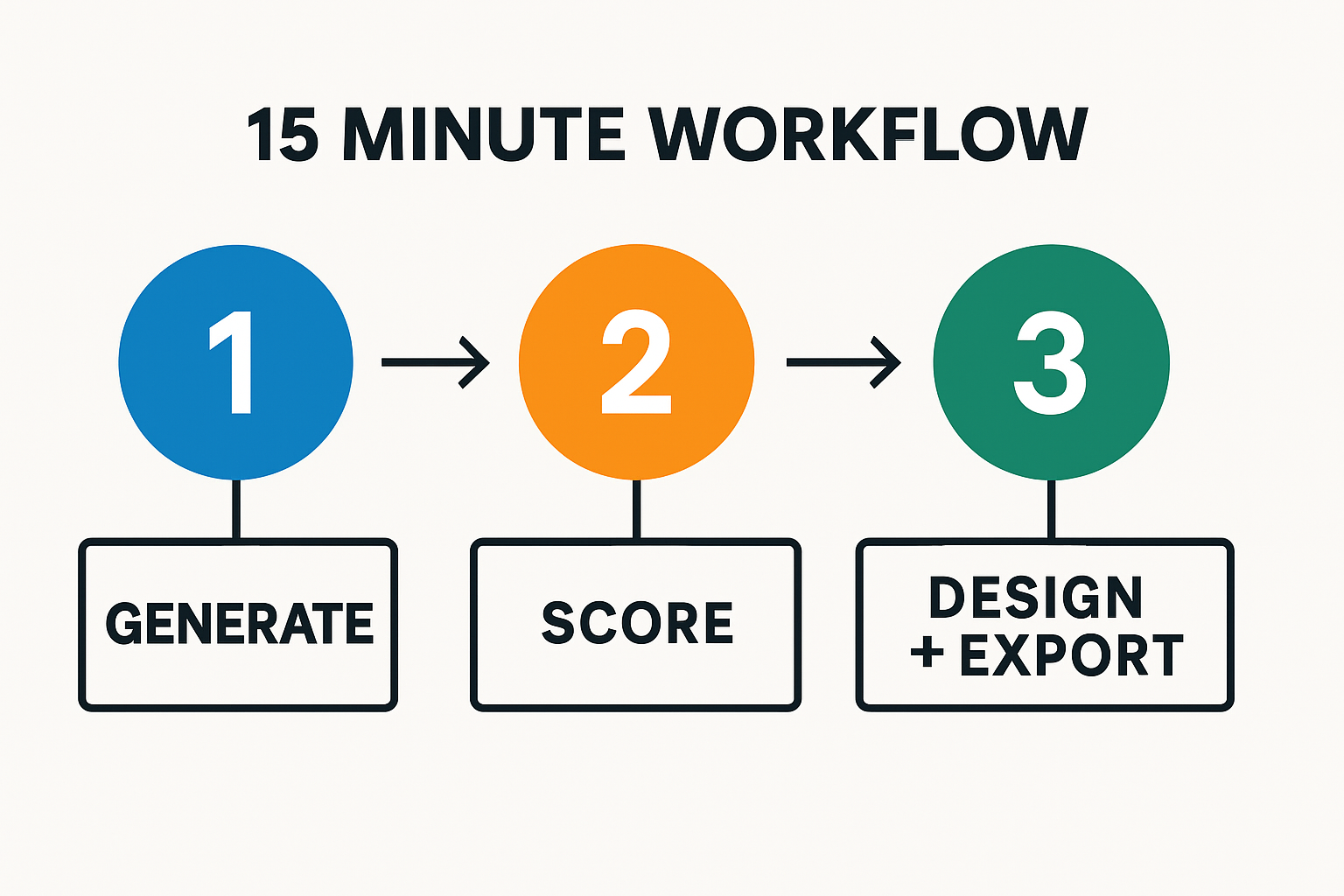
15-minute workflow: Generate → Score → Design → Export
Design your headline using the editor and export it as HTML, React code, PNG, JPG, or WebP.
Try Pretty Headline Now →Mistakes to avoid and compliance checklist
Clickbait vs credible curiosity
- Signal the payoff: If you promise a number or method, deliver it quickly.
- Minimize hedging: Replace "might" with specific outcomes and conditions.
- Avoid sensational claims: Especially in sensitive categories (health, finance, personal attributes).
Character limits, trademarks, and sensitive categories
- Google Ads RSA: Headlines up to 30 chars, descriptions up to 90. Test truncation in previews.
- Meta: Headlines may truncate in some placements around 25–40 chars; keep the hook up front.
- Trademarks: Ensure you have permission for brand usage in ads.
- Sensitive topics: Follow platform policies for health, housing, employment, and credit.
FAQs
What's the difference between a blog title generator and an article title creator?
A blog title generator often prioritizes SEO and CTR patterns, while an article title creator may focus on editorial voice. Use whichever aligns with your goal, then finalize the design in Pretty Headline.
Can I use these tools for both organic and ads?
Yes. Adapt outputs to platform limits and policies, then ensure message match from headline to landing-page hero. Shorten for ads; keep more context for organic.
How do I export final headlines to my site fast?
Use Pretty Headline to style typography and emphasis, then export production-ready HTML or React code—or PNG/JPG/WebP for design comps—no signup required.
Do numbers and "how to" still work in 2025?
Yes. Numbers clarify scope and boost scannability, and "how to" aligns with high-intent searches. Keep titles concise and outcome-driven.
Where can I learn Pretty Headline basics?
Start with Getting Started with Pretty Headline and browse our tool roundups for complementary generators.
Try Pretty Headline free
Design your final, conversion-ready headline and export it instantly—no signup, download, or payment. Use it as your website headline generator to ship production HTML/React or crisp image assets in minutes.
Design Your Headline Now →